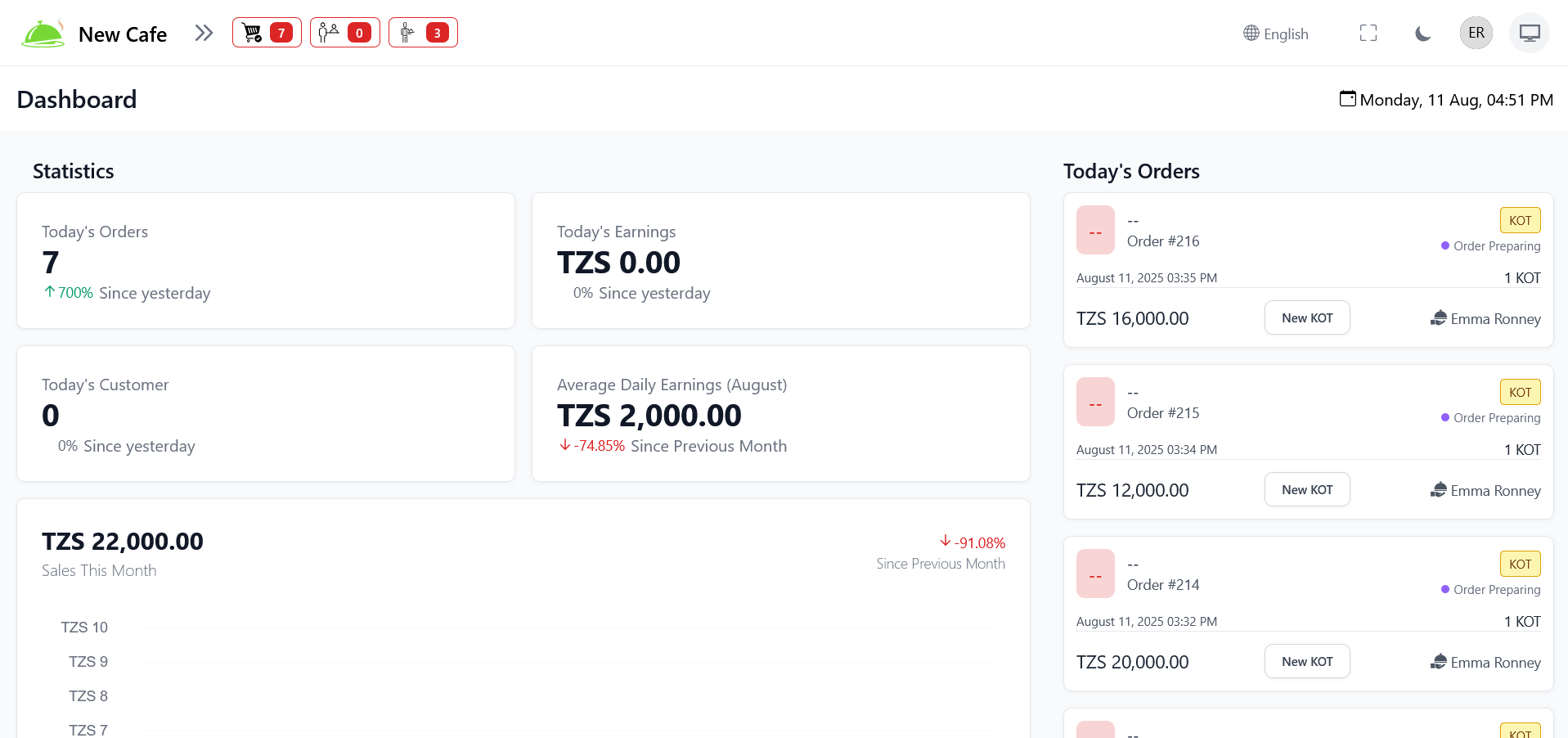
Dashboard
Overview of sales, orders, tables, and performance metrics — all at a glance.
Menu
Manage your full menu — items, categories, and customization options.
Create and organize your restaurant menus for different times or occasions.
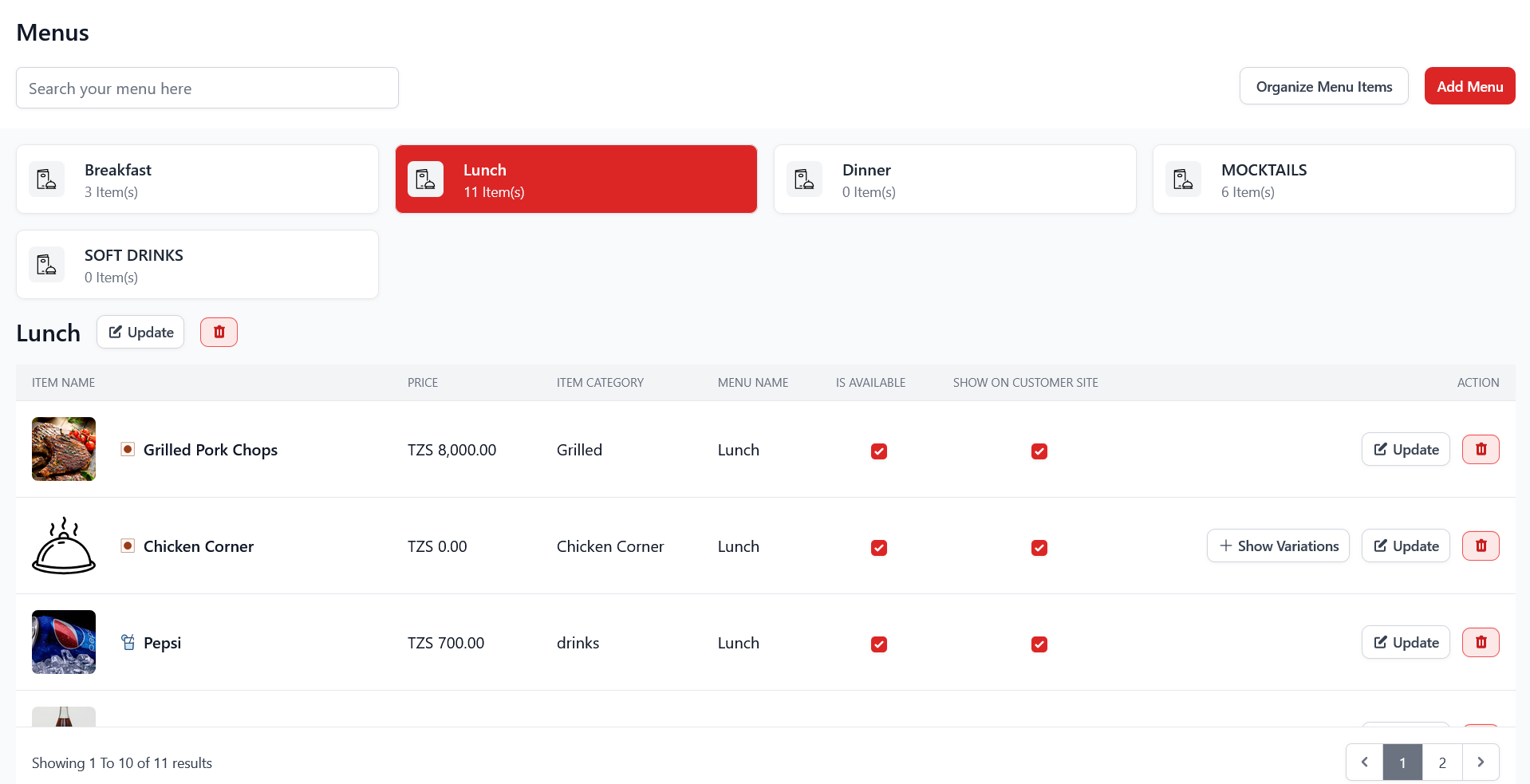
Add or update individual menu items with prices, photos, and descriptions.

Organize menu items into logical categories for faster navigation.

Create groups for add-ons like extra toppings, sauces, or sides.

Add specific modifiers to individual items for full customization control.

Tables
Manage seating areas, individual tables, and QR code ordering.
Create seating sections like Indoor, Outdoor, Rooftop, or VIP.

Add, edit, and assign individual tables to areas with capacity info.

Generate and print QR codes for seamless table-based self-ordering.

Waiter Requests
View and respond to real-time requests from customers at their tables.

Reservations
Accept and manage table reservations from walk-ins or online bookings.

POS
A fast, intuitive Point of Sale interface for processing dine-in and takeaway orders.

Orders
Track active, pending, and completed customer orders in real time.

Customers
Manage customer profiles, order history, and contact details.

Staff
Manage employee accounts, roles, access levels, and permissions.

Delivery Executive
Assign deliveries to drivers, track progress, and manage your fleet.

Payments
Complete financial visibility — payments, dues, expenses, and categorized records.
View and manage all completed payment transactions with filters and export.

Track outstanding or pending payments so nothing slips through the cracks.

Record and manage all restaurant operational expenses centrally.

Organize expenses into categories like utilities, staff, or supplies for better reporting.

Reports
Generate actionable insights across sales, items, categories, and expenses.
Analyze daily, weekly, or monthly sales performance trends.

Detailed breakdown of individual item sales and popularity.

Understand which categories drive the most revenue and orders.

Review and analyze all expenses with date range filtering.

A full log of all direct print jobs — receipts, bills, and kitchen tickets.

Inventory
Full stock management — items, categories, movements, recipes, and suppliers.
Quick inventory health overview — low stock alerts and recent movements.

Define custom measurement units (kg, liters, pieces) for your inventory.

Add and manage all raw materials and supplies in your inventory.

Group inventory items by type — produce, dry goods, beverages, etc.

Track real-time stock levels across all your ingredients and supplies.

Full audit log of stock in/out movements for complete traceability.

Link menu items to ingredients with precise quantities to automate stock deduction.

Create and track purchase orders from suppliers to restock inventory.

Maintain a complete directory of all your food and supply vendors.

Usage, valuation, and movement reports for smarter purchasing decisions.

Configure thresholds, alerts, and inventory preferences to match your workflow.

Kitchens
Organize and monitor kitchen operations including beverages and station management.
High-level overview of all kitchen display screens and their active queues.

Manage a specific kitchen station's settings, queue, and ticket handling.

Separate beverage station management for bars and drink prep areas.

Settings
Configure system preferences, user access, and global restaurant settings.
